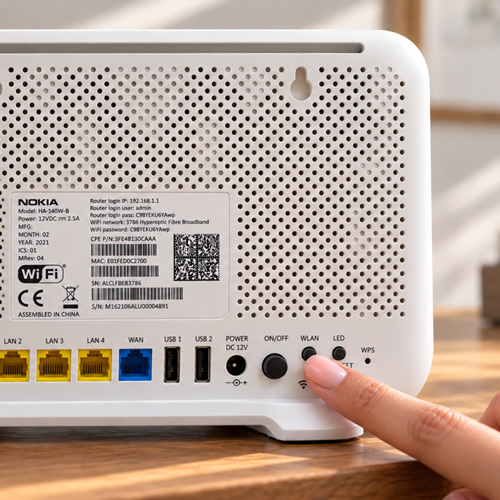
Check the Wi-Fi switch on your router
Some routers have a physical Wi-Fi switch. It may look like the image to the right. Make sure your router is powered on. If you can see a Wi-Fi switch, set it to On. If you can’t find one, your router may not have a Wi-Fi switch and you can continue to the next step.
Please note, for Zyxel routers, physical Wi-Fi on/off buttons are disabled.
Please note, for Zyxel routers, physical Wi-Fi on/off buttons are disabled.