Check your equipment
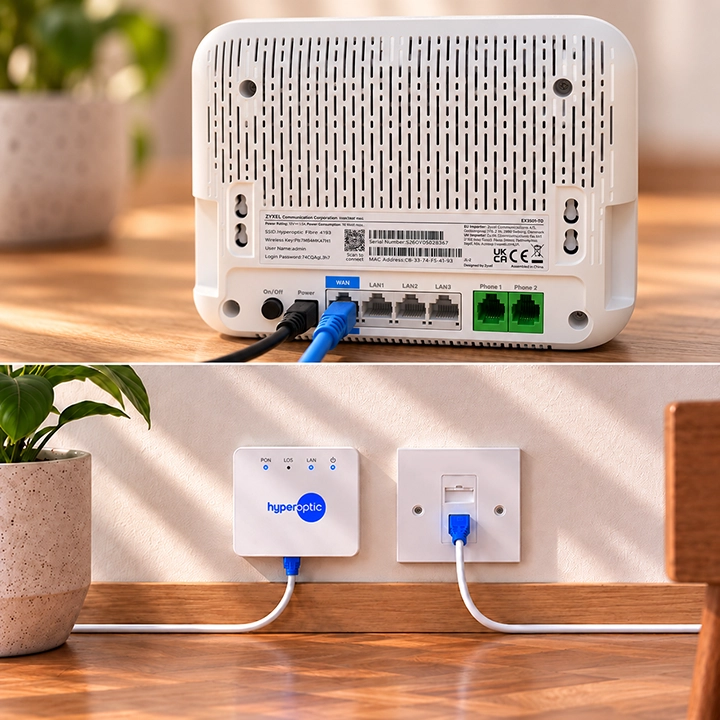
Be sure to check that your Hyperhub router is fully connected to your fibre converter or wall socket, that your ethernet and power cables are plugged in properly, and that the mains power is switched on.
If you spotted actual physical damage like a broken cable, please get in touch to order a replacement router.
If you spotted actual physical damage like a broken cable, please get in touch to order a replacement router.