{{item.title}}

My account
Perform a factory reset
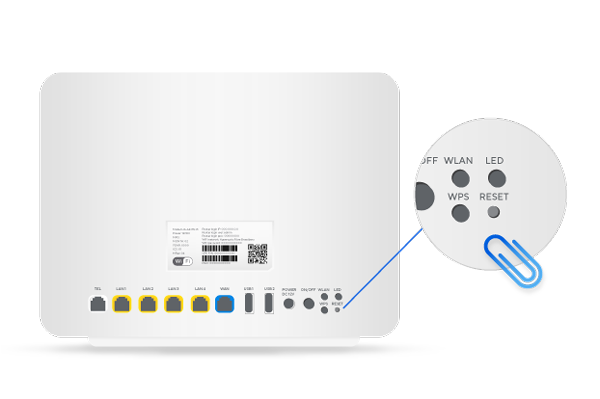
Perform a factory reset by pushing a pin or a paperclip into the Reset hole on the router for 15 seconds. Please note, this will reset all your router settings, including your Wi-Fi name and password if you’ve changed these.
Did this help?
Where are the default Wi-Fi details located?
When a router is reset, all customised settings, including Wi-Fi details such as the username and password, revert to their default configurations. These default settings are typically printed on a sticker located on the back or underside of the router. Resetting a router is often necessary to resolve network issues or to start afresh with the initial setup. However, it’s important to note that resetting will erase any modifications made to the router’s settings, so users should ensure they have the default credentials handy or have customised settings backed up before proceeding with a reset.