{{item.title}}

My account
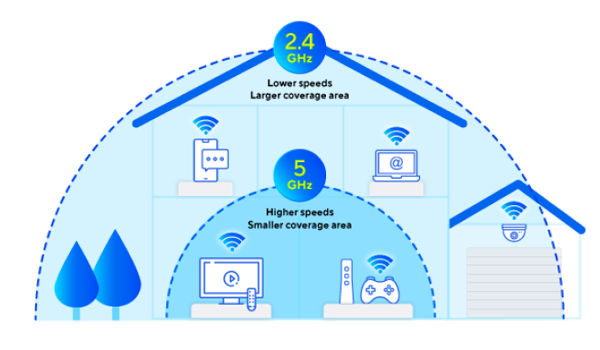
Choose the right band (2.4 Ghz or 5Ghz)
Our dual-band Hyperhub routers offer 2 wireless frequencies, 2.4 Ghz and 5 Ghz. Which band is best for you will depend on your distance from the Hyperhub and the layout of your property.
5 Ghz will generally have less interference, and it is likely that 5 Ghz will offer the fastest Wi-Fi speeds if you are in close range of the Hyperhub and there are no walls or barriers in the way, whilst 2.4 Ghz may be better if you are more than a few metres away from the Hyperhub.
If you’re using our Nokia, Zyxel or ZTE H3600 Hyperhub routers
Your band will be automatically selected to give you the best speeds possible. If you want to split the 2.4Ghz and 5Ghz frequencies on your Nokia or ZTE H3600 Hyperhub router to connect to a specific one, click below to learn how to do it. Please note, this is not recommended if you have a Zyxel Hyperhub router.
If you’re using Tilgin or ZTE H298A Hyperhub routers
Youu’ll see a separate Wi-Fi network (SSID) for each band when you view available networks on your device. We recommend trying your devices on both bands to find the best speeds for you.